Roblox Scripts
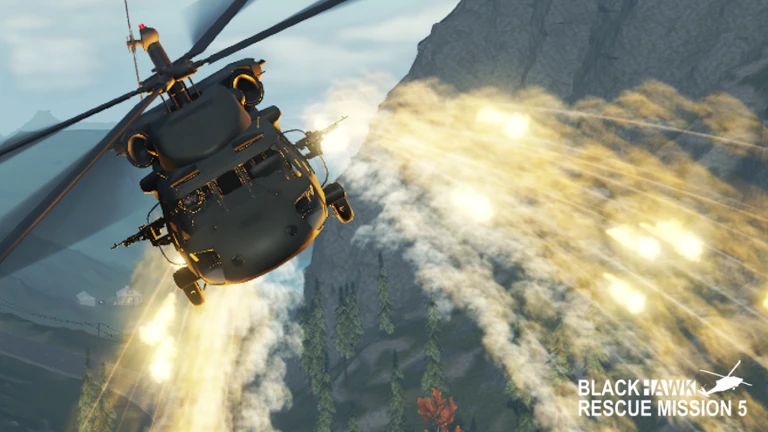
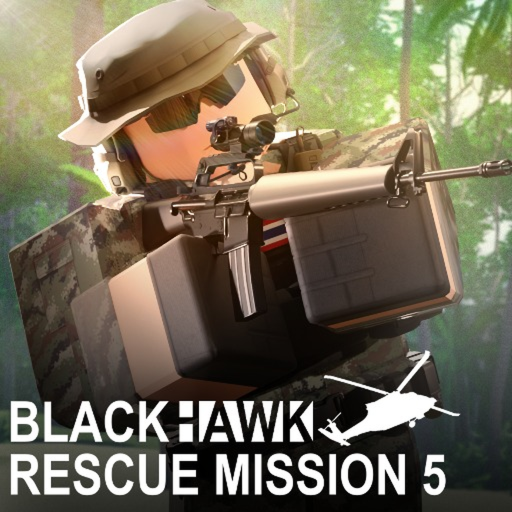 Blackhawk Rescue Mission 5
Credits: RealSirMeme
Take the grind out of Blackhawk Rescue Mission 5 with Sir Meme Hub. Mission and Sawang crate farming sit alongside automatic loot and HQ management, with detailed combat and visual controls for the rest of your setup.Sir Meme Hub is a high quality premium Roblox script hub with hand crafted anti cheat bypasses designed to last. Blackhawk Rescue Mission 5 is included with all 19 supported games in one purchase.FarmingAuto Farm Missions: automatic mission farming with ghost mode and magic melee kills on up to three targets per swingRaid Cycle: raids compounds when no mission is openCompound Scouting: finds the next enemy compound automaticallyFarm Screen: shows live farm statisticsSawang Crate Farm: ghost trips between the UNS Athens crates and your safehouse, with automatic sellingNathon Town Capture And Defence: automatically captures and defends Nathon Town during crate farmingCrate Farm Stats: money earned, earnings per hour, current money, level, levels gained, crates per hour, trips and vehicleCrate Farm Webhook Reports: account, session, crates, trips and vehicle-upgrade reportsVehicle Trunk Storage: uses your vehicle trunk to carry extra cratesCrate Farm Vehicle Purchases: buys a starter car or boat when you own none, with an optional larger-vehicle purchaseMission Selection: Mission, Difficulty and Pick By dropdownsMission Limit: Stop After Missions count sliderTravel By Car: Travel By Car switch for mission farmingAuto Repair Vehicle: automatic vehicle repair switchMission Combat Spacing: Back Off Below percentage slider and Stand-Off Distance controlAuto Loot: automatic looting with Loot Storages and Pick Up Ground Loot controlsBetter Loot And Gear: Swap For Better Loot and Auto Equip Best Gear controlsAuto Eat, Drink And Heal: separate Auto Eat, Auto Drink and Auto Heal controlsAuto Manage HQ: automatic HQ managementHire Best Staff: hires the best staffAssign Staff: staff assignment control in the HQ tabAuto Upgrade: automatic HQ upgradesAuto Research: automatic HQ researchCollect Deliveries: collects HQ deliveriesSell When Storage Full: sells when HQ storage is fullServerHop To Emptiest Server: joins the emptiest server, reloads the hub and resumes the farmQuality of lifePerformance ModeAnti AFK: anti-idle supportDiscord Webhook Logs: session stats, level ups, missions, deaths and locked missionsViewmodel Chams: Viewmodel Chams with material and colour settingsInstant Lockpick: Instant Lockpick switch in InteractionUnlock Third Person: third-person camera control, enabled by default in zombie modeColour Correction: Colour Correction switchCustom Lighting: Custom Lighting switchFog And Sky Tint: Fog, Fog Colour and Sky Tint controlsSkybox And Weather: separate Skybox and Weather switchesLightning: Lightning switchDepth Of Field: Depth Of Field switchRefill Mags: refills magazinesDrop Junk: drops unwanted lootViewmodel Offset: X, Y, Z, pitch, yaw and roll controlsCombatSilent Aim: Silent Aim switch in the Combat tabSilent Aim Targeting: Visible Check, Aim Part and Hit Chance controlsSilent Aim FOV: FOV Size slider and Show FOV switchPlayer And NPC Targets: separate Target Players and Target NPCs switches for silent aim, with zombie targeting supportedStatus Text: Show Status Text switch in the Target Line sectionTarget Line: target line with a colour settingAimbot: Aimbot switch in its own tabAimbot Keybind: aimbot keybind and keybind-mode selectorSticky Aim: Sticky Aim switchAimbot Targets: Target Parts and Target Priority dropdownsAimbot Filters: Team Check, Alive Only and Visible Only switchesAimbot FOV: FOV Size slider and Show FOV Circle switchAim Style: Aim Style control under HumaniseSmoothing And Curve: smoothing slider, curve selector and curve previewAimbot Range: Max Distance sliderReaction And Deadzone: Reaction Time and Deadzone slidersAim Motion Tuning: Max Speed, Jitter, Overshoot and Aim Offset slidersTriggerbot: Trigger Bot toggle in its own tabTriggerbot FOV: FOV Size slider and Show FOV Circle switchTriggerbot Range: Max Distance slider and Distance Check switchTriggerbot Targets: Target Parts and Target Priority dropdownsTriggerbot Filters: Team Check, Visible Only and Alive Only switchesTriggerbot Fire Mode: Fire Mode dropdownTrigger Style: Trigger Style sliderTriggerbot Hit Chance: adjustable hit-chance percentageTriggerbot Timing: Pre Shooting, Post Shooting, Timing Jitter and Click Duration controlsNo Recoil: No Recoil switch in Gun ModsNo Spread: No Spread switch in Gun ModsInstant Equip: Instant Equip switch in Gun ModsUnlock Firemodes: Unlock Firemodes switch in Gun ModsCustom Fire Rate: Custom Fire Rate switch with a Fire Delay sliderRecoil Reducer: Recoil Reducer switch with adjustable Recoil ReductionESPBullet Visualizer: bullet visualization with colour and fade-time settingsPlayer ESP: player overlays with an ESP preview and player-selection dropdownPlayer ESP Filters: maximum distance, Alive Only and Visible Only controlsBox ESP: boxes with colour and type settingsBox Shape: thickness, corner length, Auto Full Box and Bounding Box controlsBox Styling: Box Fill, Box Fill Image and Box Gradient switchesHealth Bar: health bar with colour and gradient settingsHP Text: Show HP Text with colour and text size controlsSkeleton ESP: Skeleton switchLoot ESP: loot overlaysStorage ESP: shows contents of storages you have openedZombie ESP: zombie overlaysAI And Zombie ESP Colour: colour control for AI and zombie overlaysMovementSpeed Modifier: Speed Modifier switch with a Speed Multiplier sliderFly: flight switch with an adjustable Fly SpeedBhop: Bhop switch in MovementInstant Jump: Instant Jump switch in MovementNo Fall Damage: No Fall Damage switch in SurvivalWeightless: Weightless switch in SurvivalSpinbot: Spinbot switch with adjustable Spin SpeedHub utilitiesConfig System: save and load per-game configurations, with an automatic load profileConfig Sharing: cloud sharing, Import From Link, Upload And Copy Link and Export To ClipboardCustom Themes: preset themes and saved custom themes made from five coloursInterface Languages: eleven languages, switched instantly and remembered between launchesAnonymous Mode: a made-up name and avatar in the hub sign-in display, with an anonymised watermarkMenu Controls: menu keybind, Load On Teleport, silent mode and unload scriptHub Information: What’s New and creditsLatest updatesThe latest v2.13.0 updates add Sawang crate farming, automatic Nathon Town capture and defence, trunk storage and vehicle purchase options, crate statistics and webhook reports, and an emptiest-server hop that resumes the farm. The 31 October update expands mission support.NotesStorage ESP shows the contents of storages you have opened. Raid Cycle raids compounds when no mission is open. Third person is enabled by default in zombie mode.$14.99 once unlocks all 19 supported games and hub updates for as long as Sir Meme Hub runs. No subscriptions, ad checkpoints or recurring key resets.A Windows executor is required separately. Crypto payments only. No refunds. Game updates can affect availability and script use can result in account bans.Full Blackhawk Rescue Mission 5 features and current status: https://sirmemehub.com/games/blackhawk-rescue-mission-5Get Sir Meme Hub: https://sirmemehub.com/Discord: https://discord.sirmemehub.com/
script_key="get your key from sirmemehub.com";
loadstring(game:HttpGet("https://api.luarmor.net/files/v4/loaders/770f1268f3bd440047ae5e267c42e310.lua"))()
Comments section coming soon...
To use this script, you need a Roblox Executor. Simply copy the script from this page, paste it into your executor, and run it while you are in the Blackhawk Rescue Mission 5 game.
This script may require a payment or subscription. Please check the script's description for more details.
Yes, this script has a key system. You may need to complete a task or join a Discord server to get a key.
Yes, this script is designed to be compatible with mobile executors.