Roblox Scripts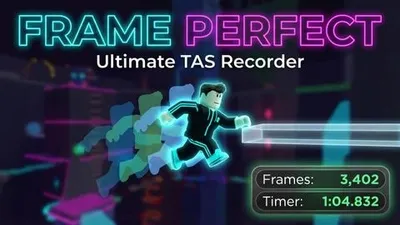
Credits: Tomato
TAS Recorder Redux: Kinematic EditionTAS Recorder Redux is a high-precision Tool-Assisted Speedrun (TAS) recording and playback utility for Roblox. Built upon the foundation of the original Tomato/Ali recorder, this version has been completely re-engineered. It abandons fragile animation hooking in favor of a pure kinematic physics engine and introduces a blazing-fast custom binary save format. The result: 1:1 positional replication, massive storage optimization, real-time trajectory visualizers, exact camera tracking, and cinematic playback smoothing.🚀 Key Features & Upgrades1. Revolutionary Binary Format (.tas) & QuaternionsThe Upgrade: Replaces massive, lag-inducing JSON files with a custom binary format (TASB v3) using string.pack.Quaternion Math: All CFrame rotation matrices are converted into Quaternions before packing. This reduces file sizes by over 80% and permanently guarantees matrix orthogonality (completely eliminating the “micro-drift” or shaky tilting that plagues long playbacks).Compatibility: Seamlessly detects and translates legacy JSON TAS files on-the-fly.2. Pure Kinematic State ReplicationEntirely ignores Roblox Animator tracks, which historically cause severe desyncs on complex games.Records exact CFrame, Velocity, RotVelocity, and HumanoidStateType every frame. During playback, it applies spherical linear interpolation (Lerp) and injects velocities into all limbs, forcing the engine to naturally reconstruct the exact visual state.3. Real-Time Trajectory & Path VisualizersVelocity Trajectory (L): Uses Workspace:Blockcast alongside Roblox’s internal gravity and WalkSpeed values to draw a predictive, color-coded trajectory line up to 150 frames into the future.Playback Pathing: Draws a Cyan trail predicting the speedrun’s future path up to 20 seconds ahead.4. Cinematic Smoothing & Camera TrackingCamera Sync: Seamlessly mimics your exact camera movements during playback.Extreme Smoothing: A headless global variable allows downsampling the recorded binary data to a target FPS (e.g., 24fps). It perfectly interpolates gaps for ultra-smooth video rendering.5. Advanced Debug View (V)A built-in map visualizer for finding routes and wallbangs:Ghosts CanCollide = false parts (90% transparency).Highlights walls < 1 stud thick in random hues (excluding cyan) for easy clip setups.Flags TouchInterests (Killbricks/Teleporters) in bright Red.🎮 Controls & KeybindsKey Action DescriptionCaps Lock Pause / Unpause Toggles recording state. Anchors/Unanchors you.1 Add Savestate Creates a checkpoint at the current frame.2 Remove Savestate Deletes the most recent checkpoint.3 Enter Savestate Loads the last savestate into the active buffer (Edit).8 Load Last Savestate Teleports back to the last checkpoint.R / F Frame Back / Fwd Rewind or advance 1 frame (Hold to scrub smoothly).6 Save Run Saves run as highly compressed .tas file. (Hold 0.5s for JSON).0 View TAS Plays back the entire recorded run.- Load Run Auto-detects and loads .tas or legacy .json files.L Toggle Velocity Vis Toggles predictive trajectory blockcast.V Debug View Toggles the map visualizer (Hitboxes/Triggers).C Toggle Collision Toggles CanCollide on the hovered part.Del Stop Script Disconnects script, restores physics, and deletes GUI.💾 Saving, Loading & Headless ModeFiles are handled in your executor’s workspace/TAS_Recorder/ folder.Saving: Type a name (e.g., Run1) in the UI and press 6. Saves as Run1.tas.Loading: Type the name and press -. Auto-detects .tas (or .json), unpacks it, and teleports you to the start.Headless Playback (For Recording Videos): Change getgenv().AutoLoadAndPlayFile = “Run1” at the very top of the script. When executed, it skips GUI creation, unpacks the binary, and instantly plays the TAS.📜 Credits & DisclaimerOriginal Concept: Tomato & Ali_Enhanced Kinematics & Binary Format: Tomato -> AI AssistedDisclaimer: For educational purposes, routing, and private servers only. Do not use to gain an unfair advantage in public servers.
--// TAS CONFIGURATION //--
getgenv().AutoLoadAndPlayFile = ""          -- File name (e.g. "MyRun") to instantly load & play. Leave blank ("") for normal creator GUI.
getgenv().ExtremeSmoothing = false       -- Set to true to downsample frames and smoothly interpolate (Warning: Will clip through walls!)
getgenv().TargetSmoothingFPS = 24           -- The FPS to compress the recording into if ExtremeSmoothing is true.
getgenv().ShowVelocityDuringPlayback = false -- Set to true to show the velocity trajectory curve while playing back.
getgenv().ShowTASPathDuringPlayback = false  -- Set to true to draw the cyan line tracing the future path of the TAS.
getgenv().PlaybackCamera = false           -- Set to true to playback the recorded camera movements.

--// EXECUTE TAS SCRIPT //--
loadstring(game:HttpGet('https://github.com/tomatotxt/TAS-Creator/raw/main/script.luau'))()
Comments section coming soon...
To use this script, you need a Roblox Executor. Simply copy the script from this page, paste it into your executor, and run it while you are in the Universal game.
This script may require a payment or subscription. Please check the script's description for more details.
Yes, this script has a key system. You may need to complete a task or join a Discord server to get a key.
Yes, this script is designed to be compatible with mobile executors.