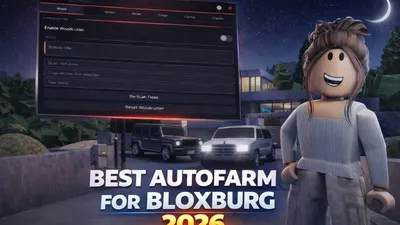
Roblox Scripts
![[🍼] Welcome to Bloxburg 🏡](https://tr.rbxcdn.com/180DAY-c976e91d74b18b1d96128a576fdb90b0/512/512/Image/Png/noFilter) [🍼] Welcome to Bloxburg 🏡
[🍼] Welcome to Bloxburg 🏡
Credits: ZekeGBloxZekeGBlox
Welcome to BloxburgJob Selection: – Select Job • Job – Auto Farm – Use Pathfinding (Vehicles) – Never Ending Shift – Auto Mood Boost • Mood Threshold % – Boost All Moods NowJob Stats: – Webhook • Webhook Delay (sec) – Test WebhookCooking: – Select Food • Food – Auto Store Food – Auto Cook – Auto QTEHarvesting: – Select Plant • Plant – Auto HarvestAuto Build: – Select Player • Player – Copy Selected Player House – Save My House – Select House • House – Show Preview – Destroy Preview – Preview Opacity • Opacity – Load Selected House – Refresh House List – Delete Selected HouseBuild Controls: – Pause Build – Abort BuildBuild Settings: – Use Blockbux Items – Place VehiclesWeather: – Time of Day • Time – Change TimeMessages: – Alert Title • Title – Alert Message • Message – Send Alert – Send MessagePaycheck: – Job ID • Job ID – Base Pay • Base Pay – Bonus Pay • Bonus Pay – Show PaycheckVehicle: – Vehicle Mod • Forward Speed • Reverse Speed • Turn Speed • Suspension Height • Max Lean • Pitch ChangeTeleport: – Select Player • Player – Teleport to PlotPlayer Stats: – Select Player • Player – View Stats
script_key="" -- script goes here u purchase at zekehub.com
loadstring(game:HttpGet("https://zekehub.com/scripts/MainLoader.lua"))()
Comments section coming soon...
To use this script, you need a Roblox Executor. Simply copy the script from this page, paste it into your executor, and run it while you are in the [🍼] Welcome to Bloxburg 🏡 game.
This script may require a payment or subscription. Please check the script's description for more details.
Yes, this script has a key system. You may need to complete a task or join a Discord server to get a key.
Yes, this script is designed to be compatible with mobile executors.